
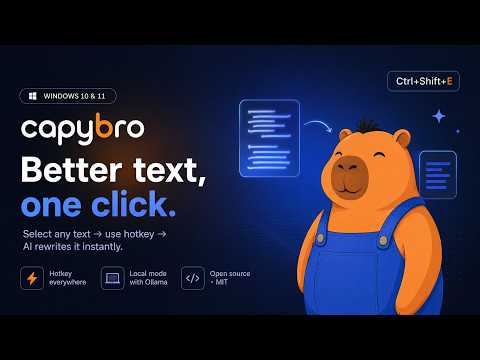
CapyBro is a fast, native Windows productivity tool that seamlessly integrates Artificial Intelligence into your daily workflow. Unlike browser extensions, CapyBro works globally across your entire OS — whether you are typing an email in Outlook, writing code in VS Code, or chatting in Telegram.
Key features:
— Global Integration: Process any highlighted text via system-wide hotkeys. Defaults: Ctrl+Shift+E (improve), Ctrl+Shift+Q (prompt menu), Ctrl+Shift+Z (undo).
— Model Flexibility: Connect to leading cloud models (GPT, Claude, Gemini, and dozens more) via OpenRouter, or run completely offline using Ollama.
— Custom Prompts: Create tailored commands (e.g., "Fix Grammar", "Make Professional", "Summarize") with optional dedicated hotkeys.
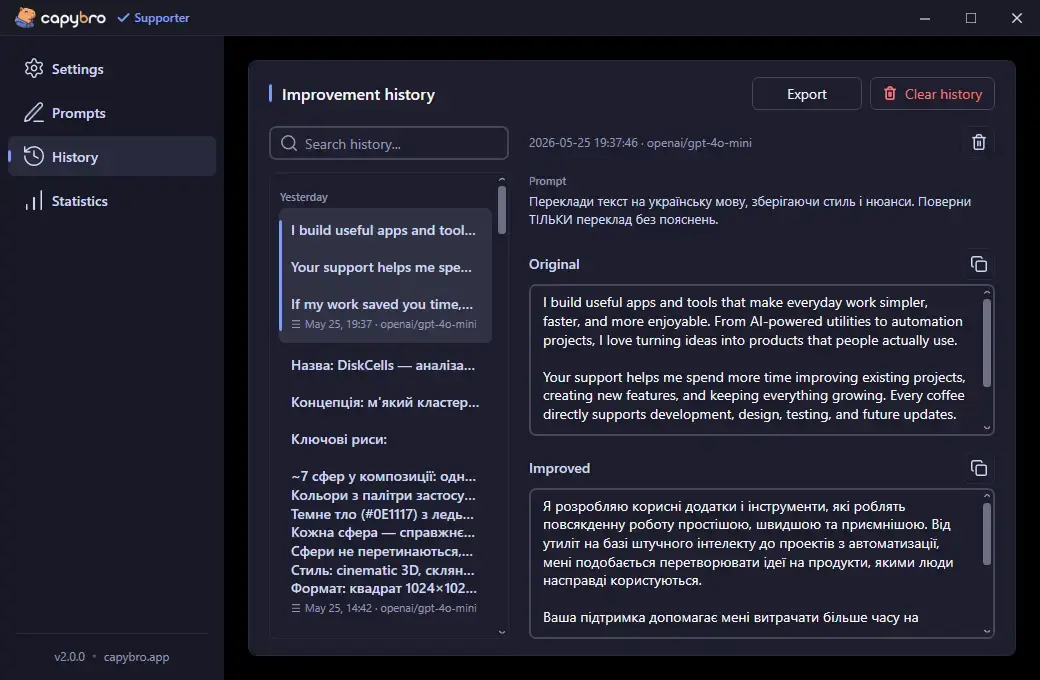
— Privacy First: API keys are encrypted via Windows Credential Manager (DPAPI). History stays on your machine. Using Ollama guarantees no data ever leaves your device.
— Native Performance: Built with .NET 8 + WPF + Win32 P/Invoke. 49 MB installer, ~80 MB RAM at idle — five times lighter than typical Electron alternatives.
— Open Source: Released under the MIT license. Full codebase available on GitHub for inspection and contribution.
Free version is feature-complete for everyday use. Pro ($19 one-time, never subscription) adds usage statistics, history export to CSV/JSON, switch-model hotkey, and premium prompt packs.


About CapyBro
CapyBro is a development product listed on Uneed, with a free tier and paid plans. It's tagged with AI, Writing. See the best AI products for related options.
Frequently asked questions about CapyBro
What is CapyBro?
CapyBro is rewrite any text in any Windows app via one global hotkey. Open-source.
Is CapyBro free?
CapyBro offers a free tier with paid plans available for additional features.
What are alternatives to CapyBro?
Discover similar ai, writing, productivity products in the Uneed directory.
What category does CapyBro belong to?
CapyBro is listed under Development on Uneed.
User reviews
No reviews yet
Be the first to review CapyBro and help other makers discover it.
This product has no rewards yet.
This product has no deals yet.
Publisher

Launch Date
2026-10-11Category
DevelopmentPricing
FreemiumSocials
Best products in the same categories
Related tools

BoostRail
OpenAI- and Anthropic-compatible API for leading AI models

AI Security Guard
The Platform for Securing Autonomous AI

Robusty
Stop testing your web app by hand

Bolt by Sparcle
Use any AI model without sending your secrets

Spidra
Scrape, crawl, and monitor any website with a simple prompt